Using Jobber for Leads? How to Turn More Inquiries Into Booked Jobs
August 11, 2026 · Updated October 12, 2026
Part of our Small Business Automation guide series.
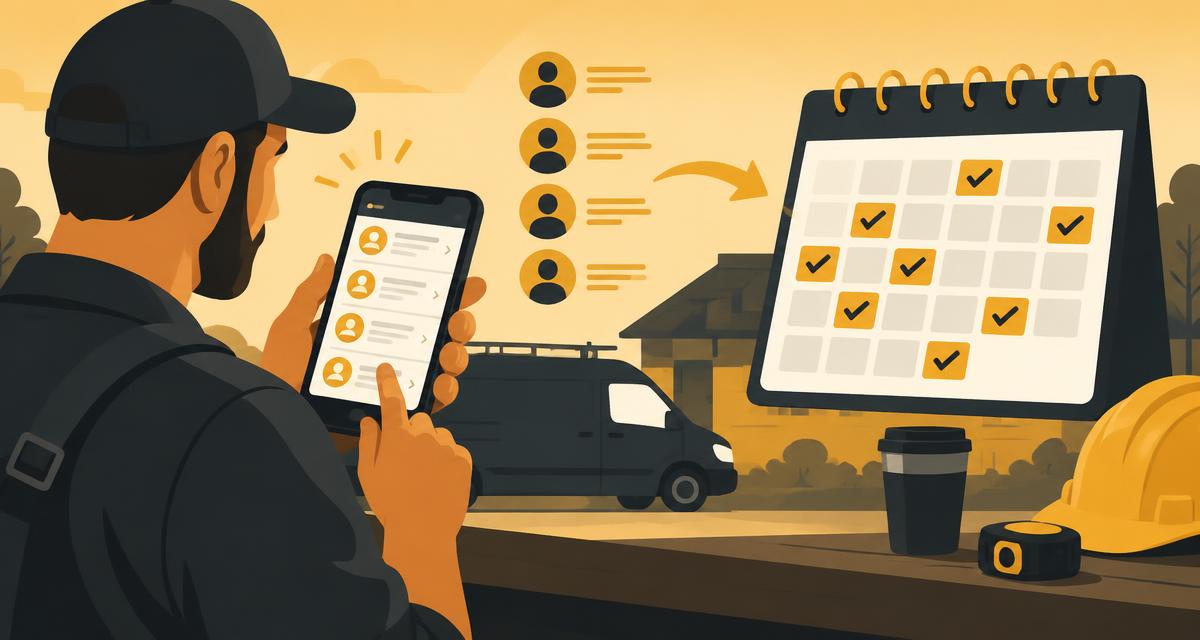
Job management software is excellent at running work you have already won: quotes, scheduling, invoicing, payments, customer history. What it cannot do is stand in for you at 7:14 p.m. when a homeowner fills out a form and expects an answer before bed.
Jobber helps you manage the business. Get Stay Booked helps you make sure opportunities do not disappear.
That gap — between "inquiry received" and "job on the calendar" — is where most home-service revenue quietly leaks away.
The lead journey
Every booked job travels the same path:
Lead → Response → Follow-up → Appointment → Job
Break any link and the whole chain stops. A missed call kills it at Response. A quote that never gets a check-in kills it at Follow-up. Phone tag kills it at Appointment. None of that shows up in your job management software, because the job never got created in the first place.
Where the chain usually breaks
When a potential customer reaches out, they are not just contacting you; they are likely contacting your competitors, too. The first business to respond often wins the job. The odds of making contact with a new lead decrease significantly after the first five minutes. The chain breaks when:
- You are on a job with your hands full when the phone rings.
- The call comes in after hours or on a weekend.
- You see the call but cannot answer right then.
- A website inquiry arrives while you are driving between stops.
- An estimate goes out and nobody follows up on it.
- The customer means to reply and simply forgets.
- The prospect gets tired of waiting and calls someone else.
A practical example
A homeowner calls at 4:40 on a Friday. You are finishing an install, so the call rings out.
Instead of silence, they immediately get:
"Sorry we missed your call. How can we help?"
They text back "need a quote on a water heater." An automated reply asks for their address and offers two available windows. They pick one. By the time you are back in the truck, the appointment is on your calendar and ready to flow into your normal job workflow — quote, schedule, invoice, exactly as you run it today.
If they had not replied, the follow-up sequence would keep going: a check-in the next morning, another a few days later, then a final nudge. No chasing on your part.
Another example: Pressure Washing
You spend money on Google Ads to attract homeowners. A lead comes in for a "house and driveway wash." You're on a ladder and see the notification but can't respond for two hours. In that time, your competitor's automated system instantly texts the lead, answers a few basic questions, and books an on-site estimate. By the time you call back, the lead has already had a positive interaction and is no longer on the market.
What actually closes the gap
- Missed-call text back. Every unanswered call gets an instant text with a booking link.
- Automated SMS follow-up. Three to seven spaced-out touches for anyone who has not booked yet.
- AI-assisted lead response. Common questions answered and jobs qualified before they reach you.
- Appointment booking. A scheduling link that removes phone tag entirely.
- Lead nurturing. Quiet estimates get gentle, well-timed check-ins.
- Website lead capture. Forms and chat feed the same follow-up flow as your phone.
- Review follow-up. Review requests after the job improve your local visibility.
- Lead tracking. See which sources actually turn into booked work.
- Customer communication. One thread per homeowner across call, text, and web.
- Repeat business nurturing. After a job is done, automatically request a review and then follow up months later with a reminder for their next service.
Actionable Templates for Lead Follow-Up
Automated responses don't have to sound robotic. Here are templates you can adapt to close the gap from inquiry to booked job.
For an instant first response
When a new lead from your website form hits Jobber, it can trigger an immediate text message that starts a two-way conversation.
"Hi [Customer Name], thanks for reaching out to [Your Company]! We're looking at your request for [Service Type] now. Are you free for a quick call in the next 15 minutes to discuss it?"
For qualifying with AI
An AI-powered agent can take over after the initial text, especially after hours. It can answer common questions and gather key details to qualify the job.
Customer: "Are you licensed and insured?" AI: "Yes, we are fully licensed and insured! To get you an accurate quote, could you tell me the approximate square footage of the area you need cleaned?"
For nurturing a slow lead
Not every lead is ready to book immediately. If you don't hear back, an automated sequence keeps your name top-of-mind without being pushy.
- Day 2: "Hi [Customer Name], just following up on your request. Did you have any more questions I can answer about our services?"
- Day 4: "Hi [Customer Name], wanted to share a link to our gallery so you can see the quality of our work. Let me know if you'd like to schedule a free estimate!"
For generating repeat business
Winning the job is half the battle. A smart loyalty system can generate repeat business with zero manual effort, turning a one-time job into recurring revenue.
"Hi [Customer Name], it's been about 6 months since we last cleaned your windows! We're booking spring appointments now. Would you like to get on the schedule?"
Why this compounds
Every booked job produces a review request, and every review improves how you rank in local search — which lowers what you effectively pay for the next lead. Recovery is not a one-time bump; it changes your cost per booked job.
Where to start
Run your intake through our free AI Growth Assessment to see which step is losing you jobs, and use the Missed Call Text Back ROI Calculator to size the opportunity in dollars. How Missed Call Text Back Recovers Revenue breaks down the mechanics, and SMS vs. Email Follow-Up covers which channel works best for home services.
More platform-specific playbooks live on the Paid Lead Recovery hub, including the guide for Angi leads.
Get Stay Booked is an independent platform and is not affiliated with, endorsed by, or sponsored by Jobber.
Businesses that respond to new leads within five minutes are far more likely to convert them than businesses that respond later.
Don't just work harder. Automate your response time.
Get Your FREE AI Growth Assessment
We'll personally review your business and identify opportunities to generate more leads and automate growth.
- Website Conversion Audit
- Google Business Profile Review
- Missed Call Analysis
- Lead Response Speed Review
- Email Marketing Audit
- AI Opportunity Report
- Reputation Score
Experience AI Before You Buy
We'll build one AI automation for your business and let you experience the results for 14 days. Choose one:
The problem
Leads slip through the cracks between calls, texts, and inbox.
How AI solves it
Get Stay Booked's AI Ecosystem answers, follows up, and books — 24/7.
What you get
More booked appointments without hiring more staff.
See What AI Can Do For YouWant More Customers Without Buying More Ads?
Our AI Email Marketing System helps businesses:
- Recover old leads
- Automatically follow up
- Write newsletters
- Send promotions
- Generate repeat customers
- Improve open rates
- Increase appointments
Try It Free for 14 Days
Join the free 14-Day AI Growth Trial and we'll set up one AI system for your business so you can see the results yourself before you pay anything.
Start the Free 14-Day AI Growth TrialFrequently Asked Questions
Is Get Stay Booked a replacement for Jobber?+
No. Jobber helps you manage the business — quoting, scheduling, invoicing, and customer records. Get Stay Booked focuses on the step before that: capturing inquiries, responding fast, and following up so opportunities do not disappear.
Is Get Stay Booked a Jobber partner or integration?+
Get Stay Booked is an independent platform and is not affiliated with, endorsed by, or sponsored by Jobber. It works alongside whatever tools you already use to run jobs.
What happens when I miss a call?+
The caller automatically receives a text letting them know you saw the call and asking how you can help, with a link to book a time. The conversation continues while you finish the job you are on.
How many follow-ups should a contractor send?+
Most booked jobs come from several touches, not one. Three to seven spaced-out texts or emails after the first contact typically moves close rates more than any change to ad spend.
How does this automation integrate with Jobber?+
GetStayBooked.com can integrate with Jobber through tools like Zapier or by using email parsing for new lead notifications. When Jobber creates a new client or request, it can trigger our system to send an automated text message, initiating your follow-up sequence instantly.
Can I customize the automated text messages?+
Absolutely. You have full control over the messages. You can personalize them with the customer's name, reference the service they're interested in, and tailor the follow-up schedule to match your sales process perfectly.
Will I still be able to jump into the conversation myself?+
Yes, at any time. Our platform provides a unified inbox where you can see all conversations. If a customer replies to an automated message, you are notified and can immediately take over the conversation and reply manually.
What if I don't use Jobber for all my leads?+
No problem. GetStayBooked.com can connect with hundreds of lead sources, including website forms, Facebook Lead Ads, Thumbtack, and many more. We centralize all your leads into one powerful automation platform.
Is this system difficult to set up?+
Not at all. Our team helps you get set up and provides full support. We'll walk you through connecting your lead sources, customizing your messages, and building your automation workflows. You can also schedule a [Free Automation Demo](/demo) to see it in action.
Related reading
Jobber is Great for Jobs - But What About Leads You Miss?
You love Jobber for managing jobs, but what about the leads that fall through the cracks? Learn how to automatically capture and follow up on every missed call and website inquiry to book more jobs.
Paid Lead RecoveryJobber Is Great for Jobs—Here’s What Gets Them Booked
Jobber is powerful field service software for managing booked jobs, but it doesn’t capture the leads in the first place. Discover the essential front-end tools that turn prospects into booked appointments in Jobber.
Paid Lead RecoveryYour Google Ads Leads Aren't Bad—Your Follow-Up Is Slow
Are your expensive Google Ads leads going nowhere? The problem might not be the lead quality—it could be your response time. Learn how to fix your follow-up and start converting the leads you paid for.
Want to see this working in your business? Start the free 14-Day AI Growth Trial or book a live AI booking demo.
Ready to See AI Work for Your Business?
Join our FREE Get Stay Booked™ 14-Day AI Growth Trial. Inside you'll receive:
- AI Growth Assessment
- Website Review
- Google Business Review
- AI Opportunity Report
- Personalized Recommendations
- Experience AI Working in Your Business
No obligation. Just practical insights to help you grow.